A funny 12-minute video by Chris Spargo about why traffic signs in the world are standardized only to some extent. This was interesting to me generally in the context of Europe being more iconographic, and America being more “word-y” in their sign design, which extends to devices, keyboards, and (presumably?) software.
The story why [the old STOP sign] got replaced by the American version is also the story why the rest of our signs still look different, and why they probably always will.
I am starting to collect all the problems I routinely find in Finder. I can think of ~15 off the top of my head; maybe this will turn into an essay of sorts. I hope this isn’t too boring for you.
Sometimes Finder takes a really long time to update the list of files after something changed it.
All my screenshots go to a specific folder. In these videos, you can see me taking screenshots with ⌘⇧4 while looking at the folder where they arrive.
The first one is fast – just as fast as it should be. The ones after that arrive with a few seconds of delay that feels completely random.
But this is nothing compared to this, just a few minutes later, where the delay was over 50 seconds. Nothing changed. The computer was not under load.
This happens routinely and feels completely random.
There is also, as far as I know, no way to force a re-sync with a keystroke or a button or a pull-down gesture, which could be at least a way to manually alleviate the symptom (if not the cause).
Hearing what others told me and based on prior experiences, I don’t have high hopes for any of this, but I want to be a good citizen. So I am filing bugs with Apple for all of these. I do not believe I can link to this directly, but the report I filed for this one is FB21444299.
There’s a common assumption that when you translate something from English into another language, there shouldn’t be any English left when you’re done. Otherwise it would be an incomplete translation, right? And you’d feel like you got cheated out of the money you spent on translation, right?
I have been thinking a lot about translation ever since in the 1990s, both Windows and Mac OS have been translated to Polish, and while Windows felt okay, people at Apple used more “proper,” but often strangely archaic words for the Mac OS translation that were absolutely readable, but made the Mac felt a bit… I don’t know… medieval? (I saved both of the translations and put them up online long ago. They are still online.)
It is so hard to explain unless someone knows both languages in question, but so important to understand all these little nuances to get it right.
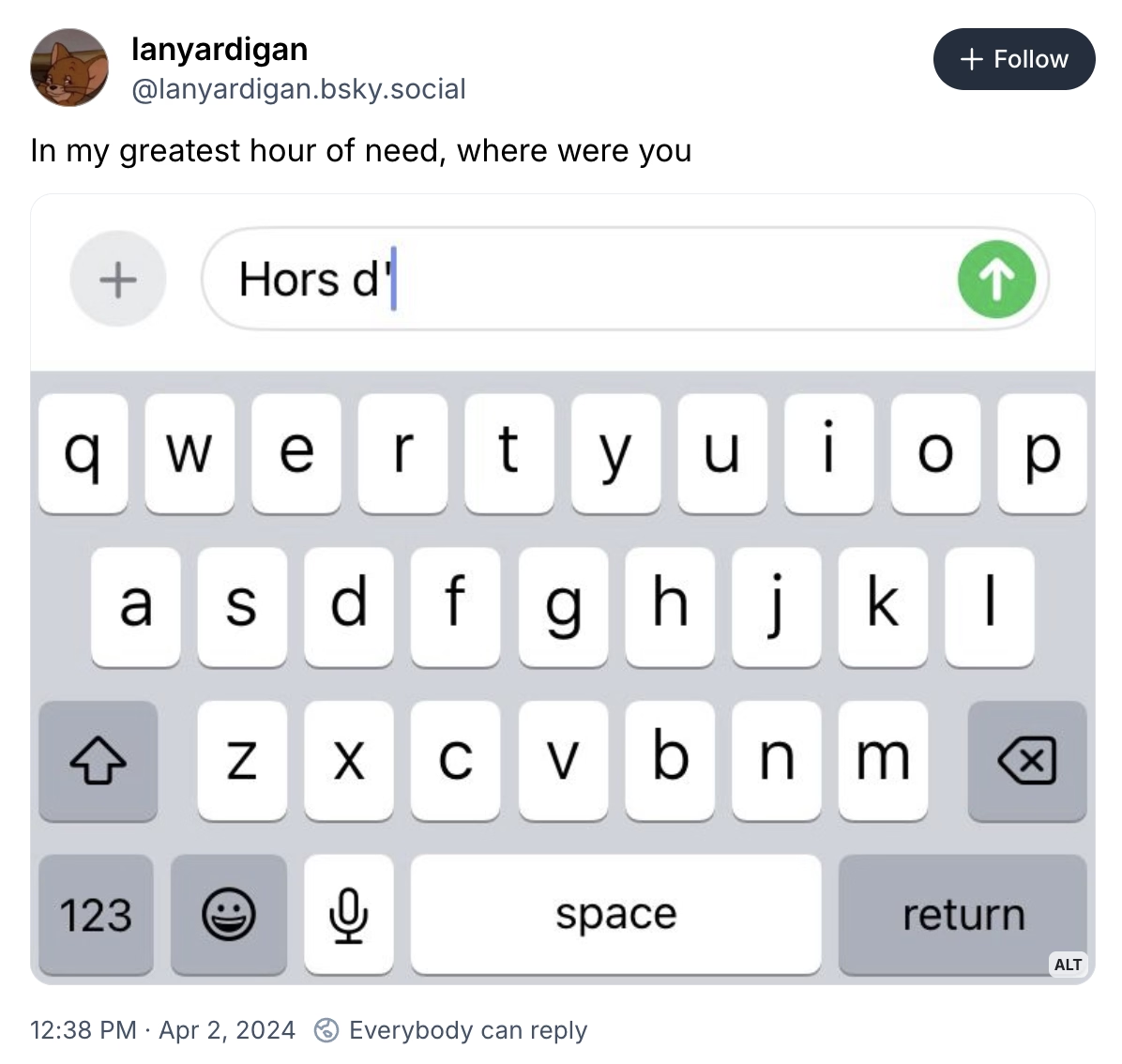
In the world of typing, for example, right-to-left writing systems are not just “going the other way,” but also have to accomodate LTR snippets. Similarly, is perfectly fine in Japanese to see Western words – not just next to Japanese writing, but sometimes inside it. For those working on these, it must be annoying that you already have to do more work with more complex writing, encodings, and stuff (most languages to me feel more complicated than English) – but now you also have to include entry points for other writing systems.
The issues of translation are fascinating to me. Please send more if you see them.
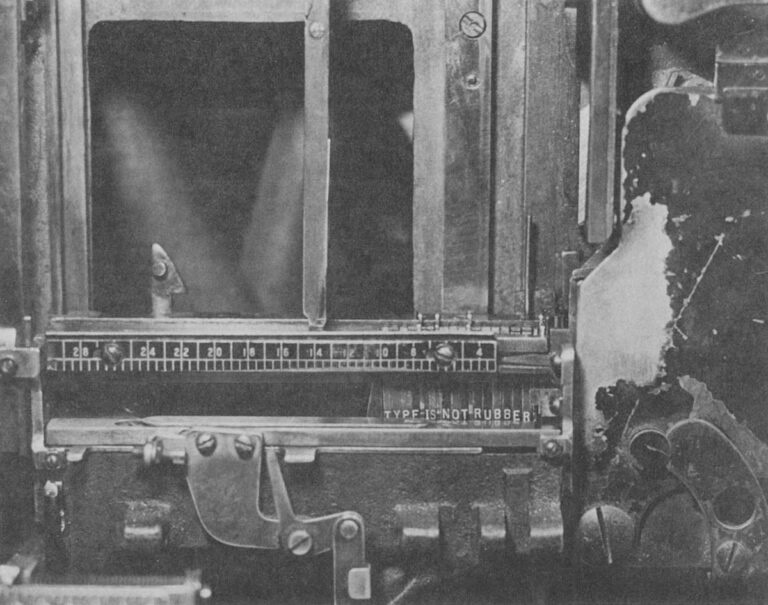
Oh, this is a fantastic adage I haven’t heard before, mentioned here in 1978, arguing against distorted, or “faux” typography:
A Linotype assembly elevator with the gate closed. This is the center of an operator’s attention as the mats tumble down and are arranged automatically in lines. The spacer bands adjust themselves to fill out the line but only so many letters can fit in any measure, proving the old trade adage that "type is not rubber." Modern photocompositors have lenses that can distort the image of the letters to fit where they couldn’t. Today, type is rubber.
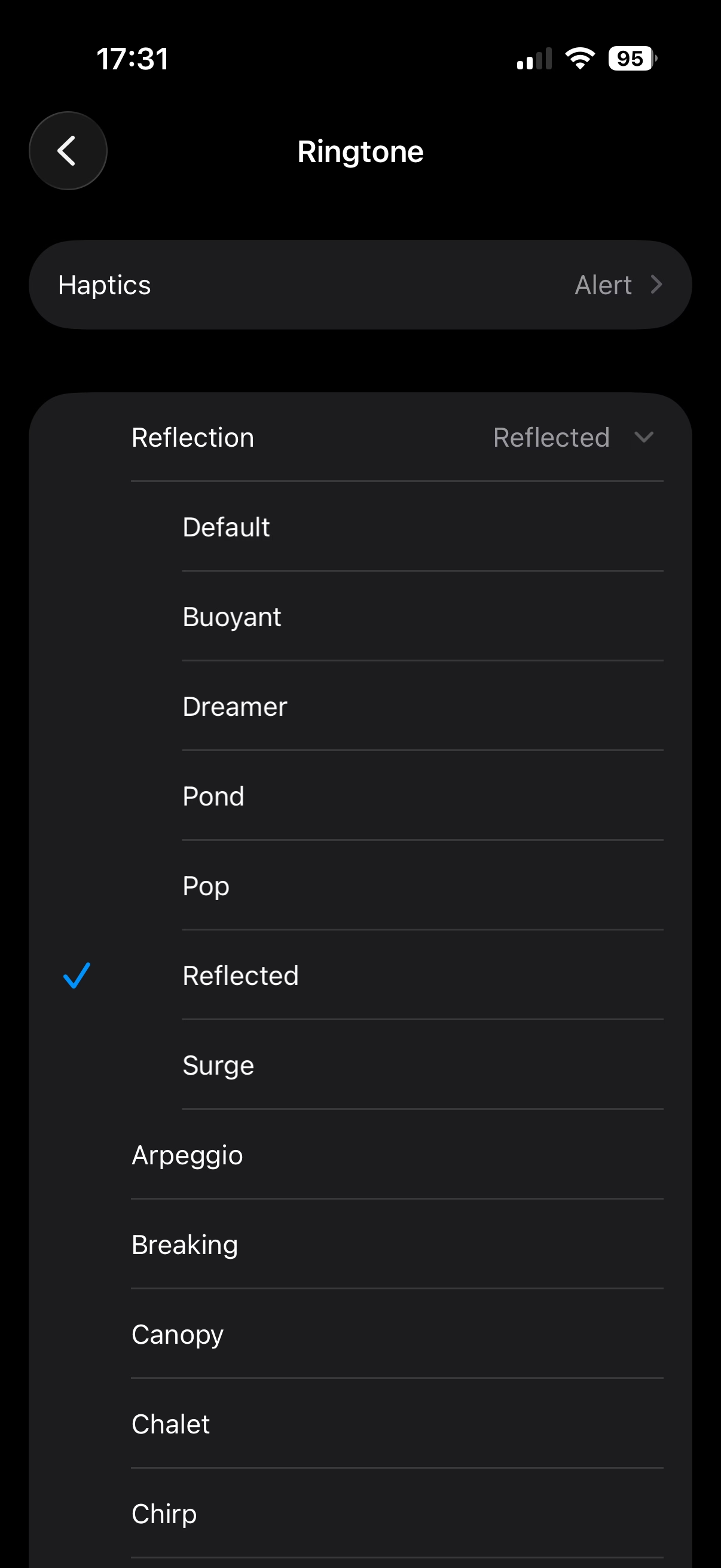
I found this weirdly delightful: There are a few new ringtones in iOS 26, but they’re not new new ringtones – they’re sort of “riffs,” or maybe remixes of a default Reflection ringtone.
If you don’t have an iPhone, here’s a short video where you can hear them. I’m guessing Apple sees the default ringtone as sort of an audio brand, and wants to invest in it more.
The only thing I don’t like are those names: It feels each one is following a different naming scheme.
September 6, 2014, was a landmark day in speedrunning history.
I like Summoning Salt’s videos about speedrunners because they manage to add a great dose of storytelling to what otherwise would be boring, mundane events, and this one about Punch-Out is no exception. It’s Rocky meets Moneyball, in a way.
This pairs well with the previous review of the “Pilgrim in the microworld” book because speedrunning feels very connected to mastery and to quality – whether it’s because of the old-fashioned grind to be better, or by exploiting all sorts of glitches in the game to shave off sometimes milliseconds. The video above is in the former category, or what speedrunners would call “glitchless.” It’s also just really fun to watch. (The book wasn’t fun to read.)
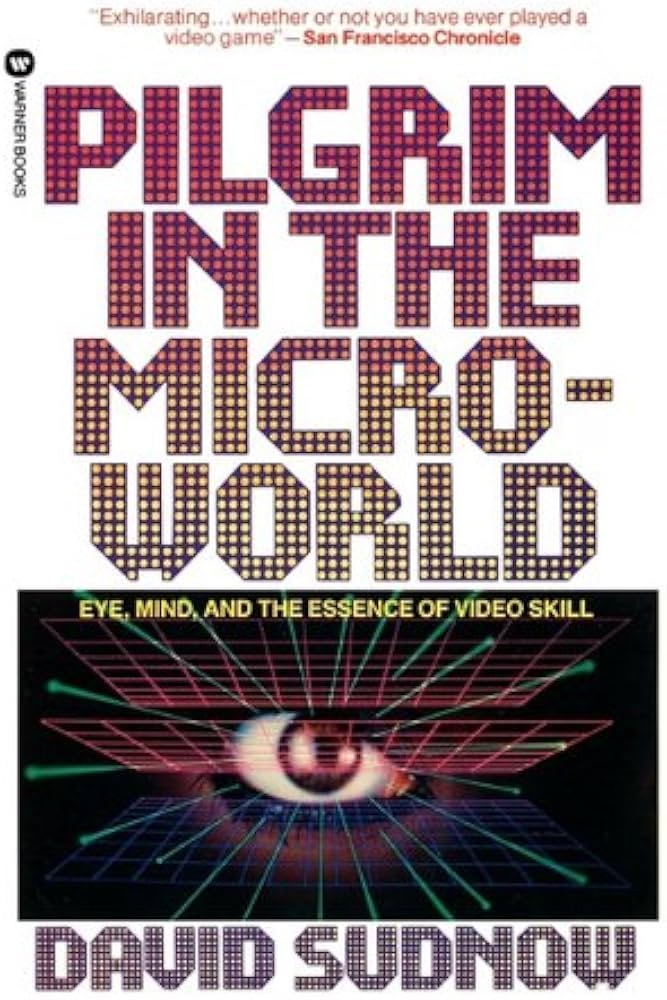
When I first learned about this book from Jacob Geller’s video just months ago, I thought this was another example in the vein of The Power Broker – a perfectly Marcin-coded book that somehow escaped me knowing about it for decades.
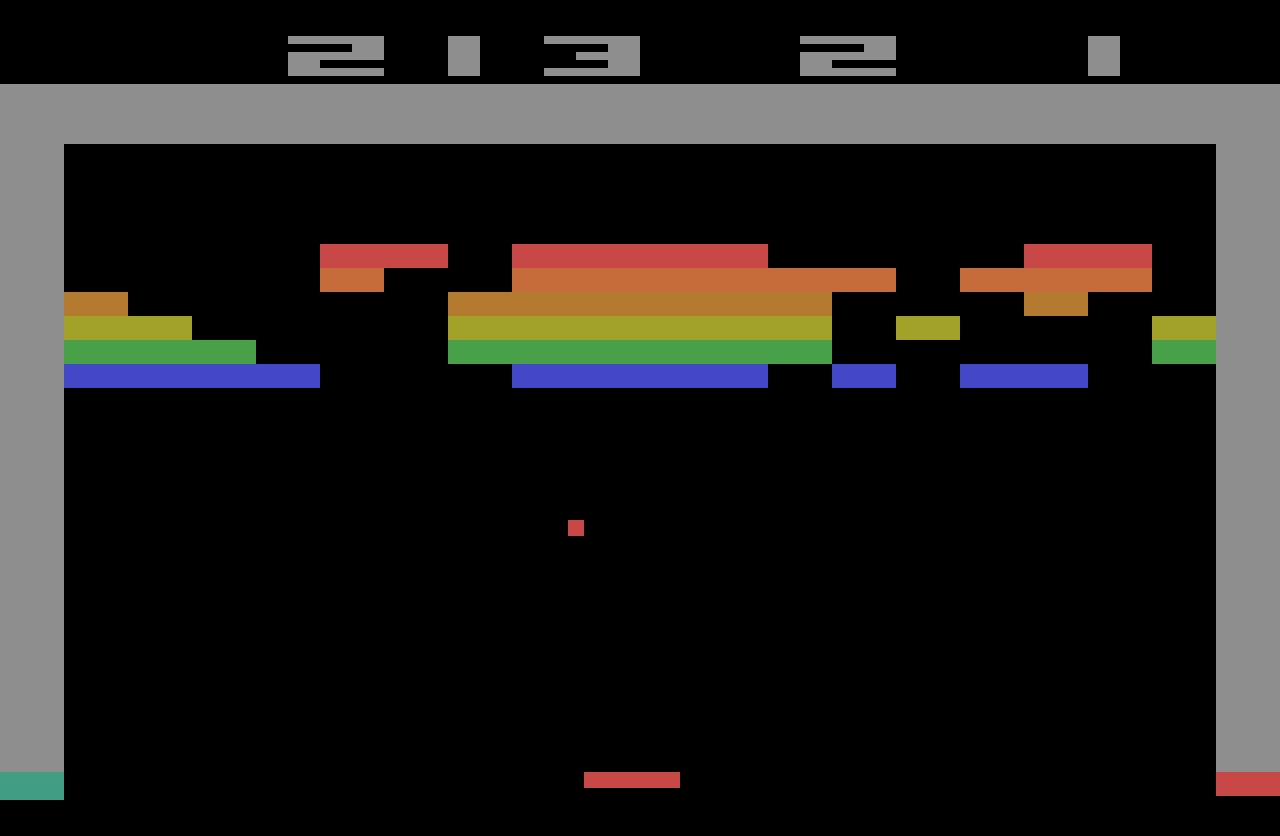
“Pilgrim” is from 1983, and is a story of a pianist discovering the classic videogame Breakout, and trying to perfect his own gameplay.
I love so many stories of videogame mastery, because at times they feel the closest we got to Doug Engelbart’s dream of incredibly effective machine operation somewhere deep below the threshold of consciousness: You and the computer becoming one, eyes and fingers forming feedback loops so perfect they cease to be noticeable.
Here I am alone in a pitch-black hotel room, a middle-aged man with some time to kill, getting ready to check out some jazz clubs in Greenwich Village, in possession of an early cretinous offering from a gold rush grab bag of tuby thingies coming our way from hundreds of decision-making puzzle peddlers throughout the new electric “entertainment” industry. And now instead of playing the game it‘s packaged up to be, I‘ve gotten into more or less occupying myself by outlining invisible triangles across the screen of a TV doodling machine. What am I doing?
Unfortunately, as you can maybe already sense, the book is an overwritten, ponderous, and pretentious mess. “Beach reading, it ain’t,” quipped a Kill Screen reviewer in 2013. But there are some interesting parts in it.
Before, the piano was the quintessential human instrument. Of all things exterior to the body, in its every detail it most enables our digital capacities to sequence delicate actions. Pushing the hand to its anatomical limit, it forces the development of strength and independence of movement for fourth and fifth fingers, for no other tool or task so deeply needed. This piano invites hands to fully live up to the huge amount of brain matter with which they participate, more there for them than any other body part. At this gnetically predestined instrument we thoroughly encircle ourselves within the finest capabilities of the organ.
Then a typewriter, speeding the process whereby speech becomes visible, the extraordinary keyboard for sequencing and articulating perhaps awaiting a still truer sounding board, strings, and tuning, a still more suited canvas for thought.
Then TV.
This arrives at page 26. Alas, it’s kind of downhill from here.
The author visits Atari (imagine that!) to learn that the programmer of Breakout doesn’t really understand what makes Breakout so alluring. The game perhaps lucked in to being so imminently playable, and then replayable.
I’m interested in designing for mastery. We should not rely on luck that separated a classic like Breakoutfrom a hundred other games from that era that felt awful to play and were immediately forgotten.
Sure, Sudnow definitely takes Breakout way too seriously:
Maybe I can remember the five shots by putting pieces of tape on the TV cabinet to mark each paddle destination, I say to myself, even though it seems that would undercut true learning. It’s bad practice to learn the piano by writing the names of the notes on the keys, much better not to use a code, to grasp the layout of things by their own looks and feel. And I can’t carry Scotch tape to a Breakout tournament.
But in a way: why wouldn’t you?
In fact it’s already happening. I’ve found myself playing with the cursor on my word processor just for the hell of it, seeing if I could track it across screen and get it to stop at every comma in the text.
The word processor (or any other app you use often) operating at the speed of fingers unlocks superpowers, and then some.
There’s one experience in particular at the word processor that gets me downright angry at times. There’s no more of that room for finger breathing while you awaited a carriage’s return. You reach the end of a processed line of text and if your word becomes too long for the margin while there’s still alloted space to get it underway, it splits in the midst of your articulation and your voice instantaneously reappears six inches to the left, a quarter of an inch lower. The computer can’t know what you’re about to write, not yet, not a word or even a letter in advance, has to wait and merely calculate how things are going in order to then “decide” where to put the sound. ¶ Before, you felt a big word welling up, hit the carriage return, lifted off from the keyboard just a bit, reorganized your grasp, and dug back into the improvisation with a renewed rhythmic mobilization to continue. And some of the things you found to say, you found because you said them that way.
This was a fascinating tidbit, this reflection on how small interactions can change the nature of creative process.
If this book was cut to 20% of its size, those fascinating tidbits would stand out more, and the book would still be of value today.
But despite this complaint, I miss people writing about using computers this way. Such a big chunk of my struggle with computers today is fighting with it because I expect a better connection between my fingers and what’s happening onscreen.
I wish more designers understood how important that is.
When you make dialogue in a video game you have a distinct file that has all the possible text that can pop up in your game. This is usually a CSV file, or a JSON, and you can think of it as basically a database for text. So then at different parts in your code, you extract specific parts of this file, and that'll depend on what character you’re talking to, if you have a certain item, whatever, and that’s one of the most efficient and common ways to do it.
But the way that Undertale handles dialogue is much worse. All of the dialogue in the entire game, every text box that pops up, is handled in one massive if statement. […] case 737 out of what must have been at least 1,000 lines.
This reminded me a little of my first week with my personal computer, when I didn’t yet know you can write IF X <> 3 THEN, so I spent half a day writing statements like IF X = 1 OR X = 2 OR X = 4 OR X = 5…
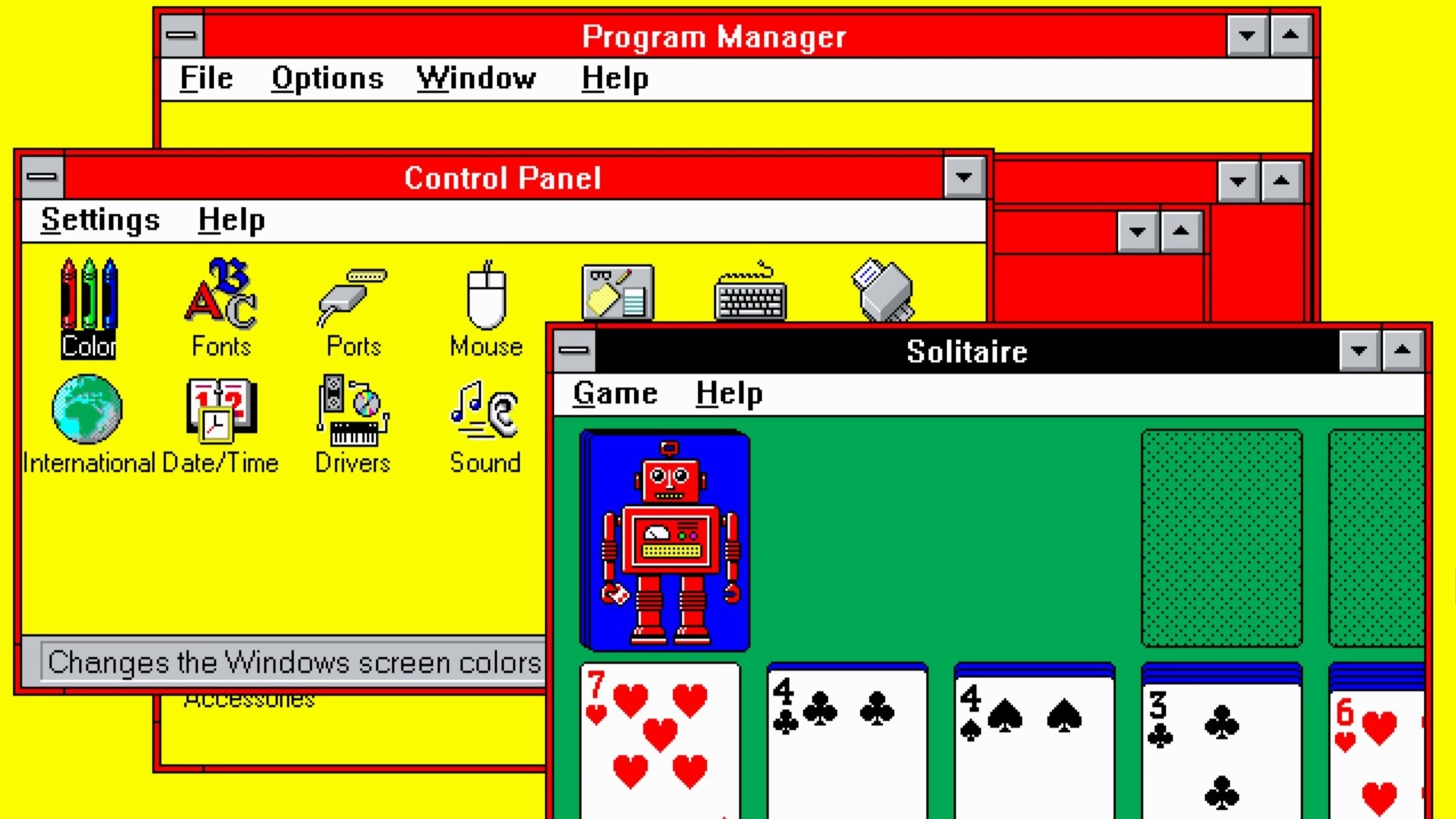
Every so often, a wonderful thing happens: someone young enough to have missed out on using computers in the early 1990s is introduced to the Windows 3.1 "Hot Dog Stand" color scheme.
I can’t figure out whether Gruber’s take (“That’s Microsoft.”) is also a subtle jab at Apple in the year of Liquid Glass.
Also, great first comment under the original post:
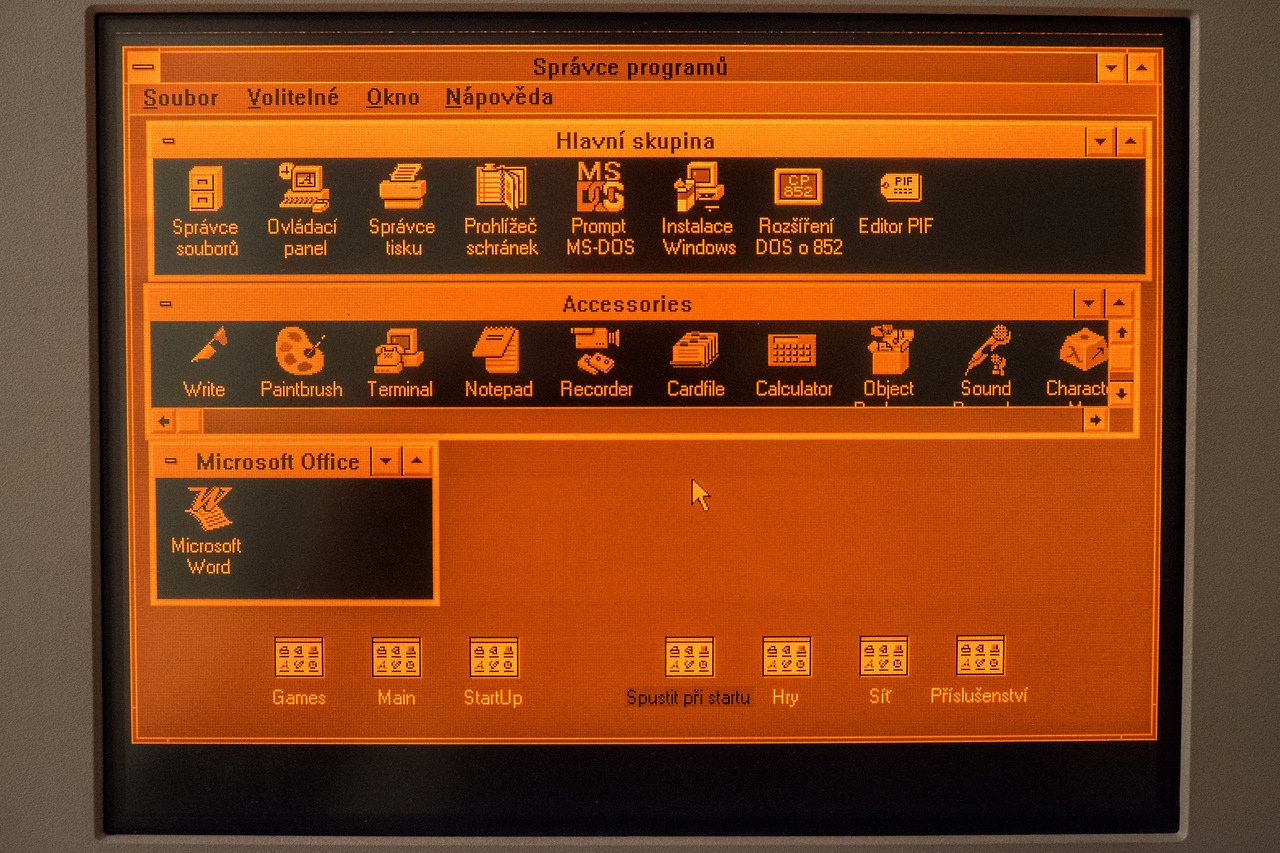
I assume "Plasma Power Saver" served an actual purpose - it was intended for users of "portable" machines having a gas plasma display. Early ones were monochrome (orange) and I guess the actual color hue didn't matter so much as the intensity.
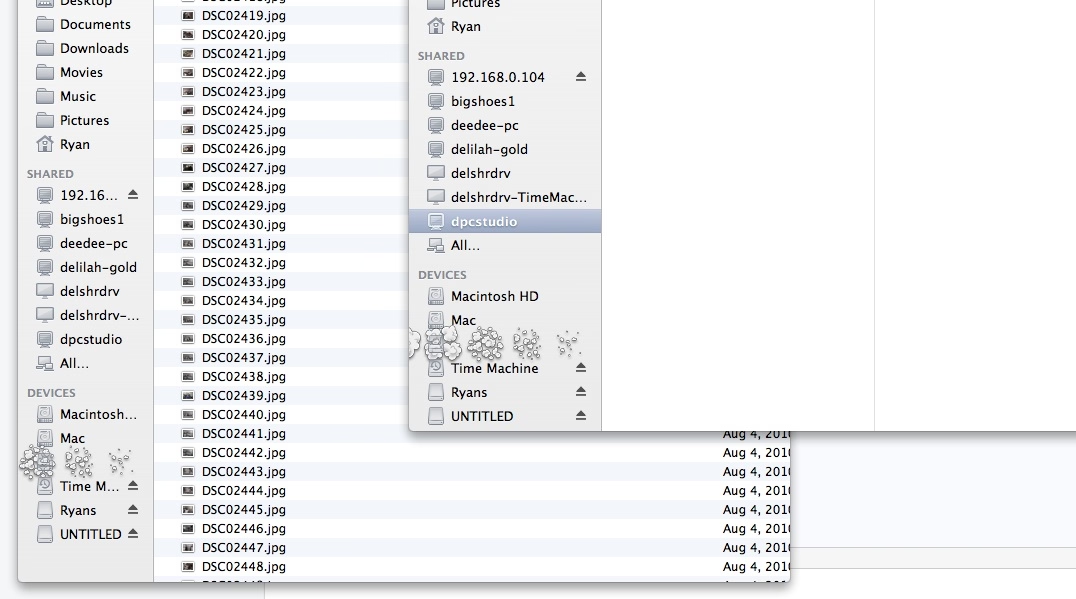
It used to be that when you dragged an item off the Dock and dropped it, the icon would disappear in a puff of smoke and make a satisfying noise. The animation was strangely primitive against the backdrop of the slick user interface of what used to called Mac OS X.
I too wondered why that animation was weirdly amateurish, almost like a placeholder. Well,
One of the most talented engineers on the team took out a piece of paper. I wish I could say it was a napkin to make the story better. ¶ On the piece of paper, he drew a series of five frames. The intention of the designer was that these drawings would stoke further discussion. That it would get cleaned up and refined later. ¶ But that never happened. It shipped as is. And the rest is history.
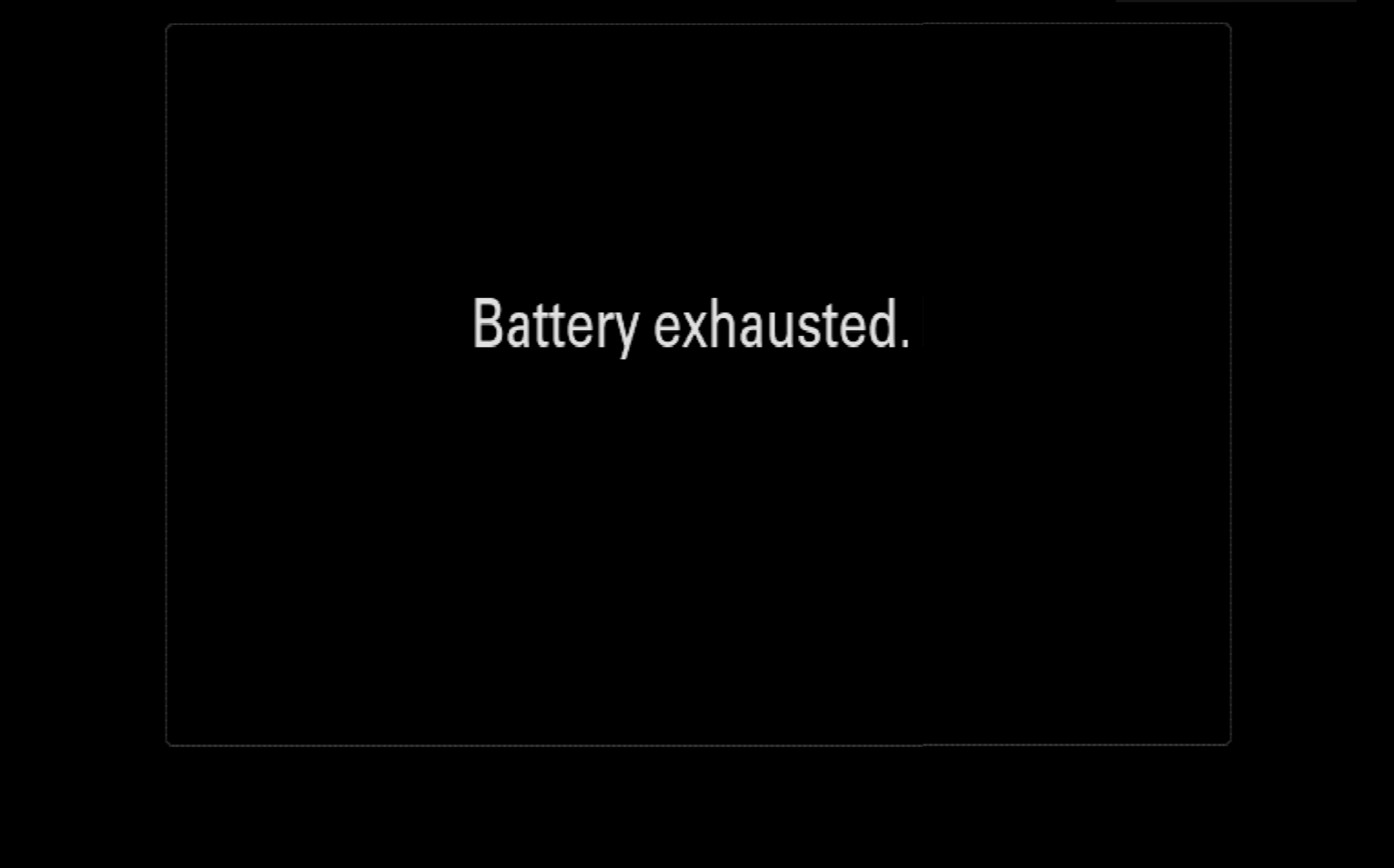
This is inside my Sony Alpha camera: a teensy too technical, or maybe slightly-lost-in-translation-from-Japanese message. I love it. It has personality without trying to be cute.
I spend a lot of time at work thinking and designing (and avoiding) loading states, and someone just reminded me of a piece I wrote ten years ago, so I just moved it from Medium to my new website, and updated with new things I learned.
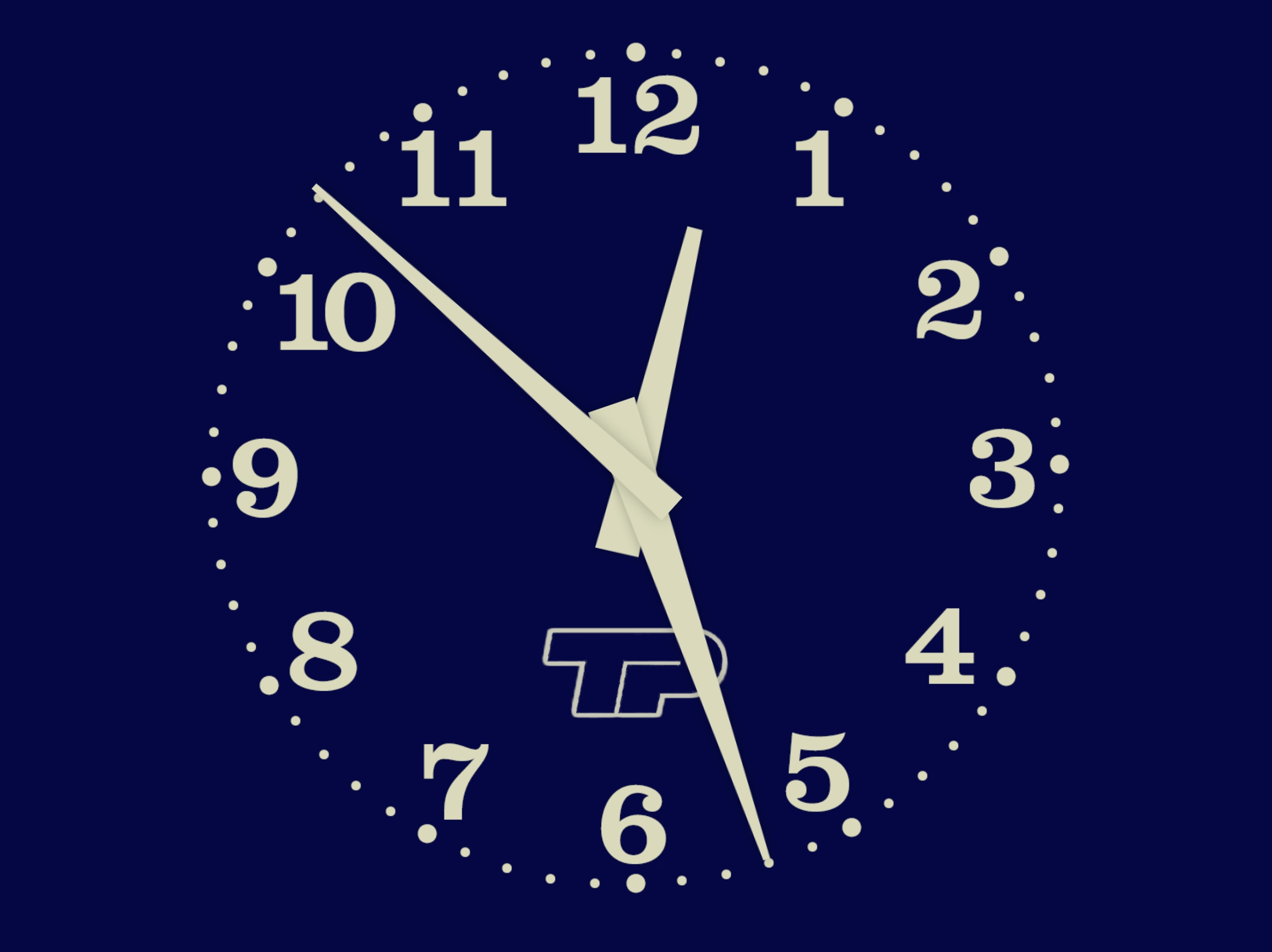
It’s about TV clock idents and what they meant to me growing up – possibly the original “loading state” in my life.
Best comment under that BBC News theme: “As a swiss, this makes me proud to be british.”
What is it about Brits and extraordinarily perfectly timed music? Here’s Pet Shop Boys and Casting a shadow, made especially for and matching the total solar eclipse in 2000 to within half a second.
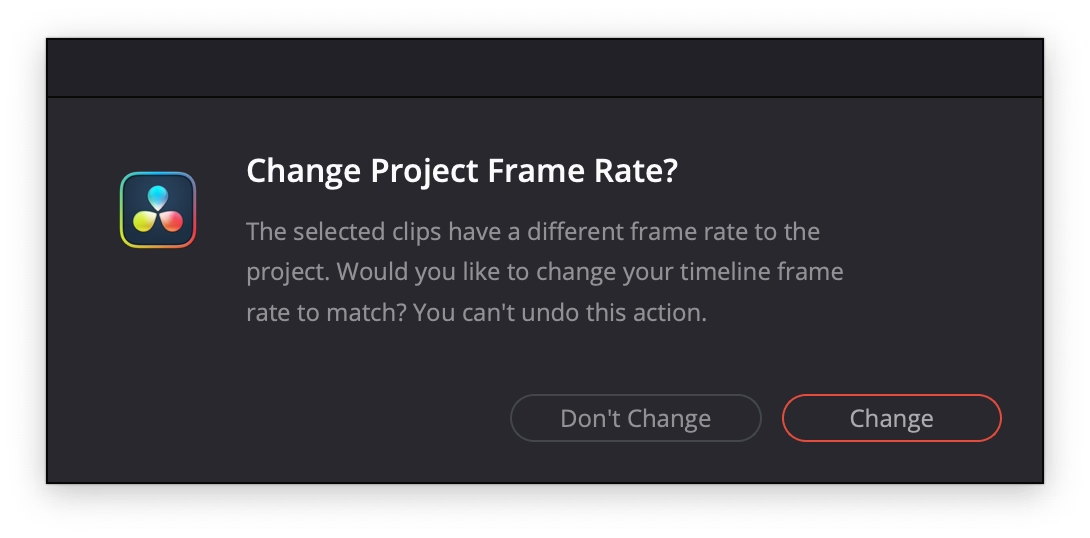
An extremely thoughtful moment in DaVinci Resolve. When you drop the first video clip into a new project, it suggests to update the settings of the entire project, on the correct assumption that the first media might set the tone of the whole thing.
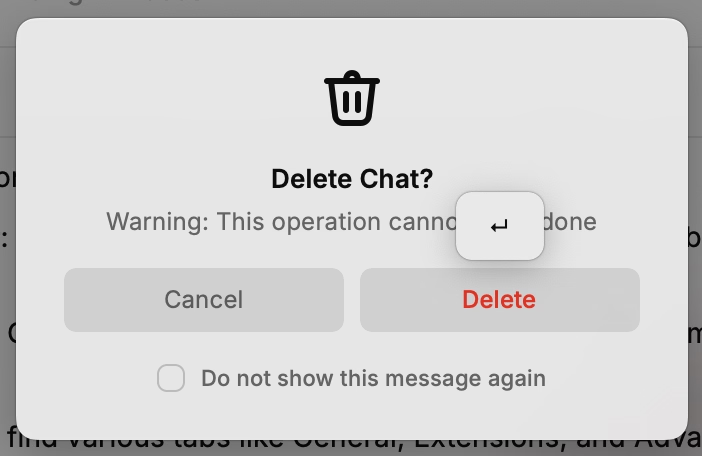
“You can’t undo this action” is scary and kind of… untrue? But I’ve stopped reading by then. I press Enter and it saves me a trip to a complex project settings dialog box I always forget the location of.
From the vantage point of 2025, optimization is clearly no longer a priority for the tech platforms. Google’s search results have gotten worse. Google doesn’t care. Facebook is awash in AI slop. It welcomes the slop. Amazon is filled with fake products and fake reviews. All of these companies still dominate their categories. Degrading the user experience isn’t costing them. The motivating belief that these companies hadto optimize, or else they would be out-competed, no longer drives Silicon Valley behavior. Optimization was an era. That era has ended.
Most of us got into tech with an earnest desire to leave the world better than we found it. But the incentives and cultural norms of the tech industry have coalesced around the logic of hyper-scale. It's become monolithic, magnetic, all-encompassing—an environment that shapes all who step foot there. While the business results are undeniable, so too are the downstream effects on humanity.
I’ve always been curious whether those “dyslexic-friendly” fonts amount to anything, and this 2022 post I haven’t seen before puts this idea to rest:
But the new fonts—and the odd assortment of paraphernalia that came before them—assume that dyslexia is a visual problem rooted in imprecise letter recognition. That’s a myth, explains Joanne Pierson, a speech-language pathologist at the University of Michigan. “Contrary to popular belief, the core problem in dyslexia is not reversing letters (although it can be an indicator),” she writes. The difficulty lies in identifying the discrete units of sound that make up words and “matching those individual sounds to the letters and combinations of letters in order to read and spell.”
I recently joined Mintlify as a part-time design engineer. […] I started a daily thread sharing UI fixes and improvements that I was shipping. I also invited people to share any UI bugs they noticed.
People responded. I fixed things in near real-time. It was fun and I learned a lot.
I enjoy little posts with updates like this.
(However, a small thing: I wouldn’t use text-shadow this way. It’s veering into the territory of faux bolding, and looks bad. And, in this case, it feels like it’s not solving a problem.)
Computers Are Bad is an acquired taste and I’m acquiring it. This was an excellent post going deep into the myths and anti-myths of elevator close door buttons, and pedestrian crossing buttons. I love storytelling + rigor:
First, anyone who says that the "door close" buttons in elevators are routinely "not even hooked up" shouldn't be trusted. The world is full of many elevators and I'm sure some can be found with mechanically non-functional door close buttons, but the issue should be infrequent. The "door close" button is required to operate the elevator in fire service mode, which disables automatic closing of the doors entirely so that the elevator does not leave a firefighter stranded. Fire service mode must be tested as part of the regular inspection of the elevator (ASME A17.1-2019, but implemented through various state and local codes). Therefore, elevators with a "door close" button that isn't "hooked up" will fail their annual inspections.
Also, this bit was delightful:
The software, as I recall, came from the school of industrial software design where a major component of the interface was a large tree view of every option and discoverability came in the form of some items being in ALL CAPS.
Edward Tufte has this visual rule that 1+1=3: With a single line on the screen, you have just that single object, but adding a second line does something interesting, it adds a third ‘object’ on the screen, the negative space between the two. All good visual designers deeply understand this effect.
In UX design we have a cognitive equivalent. If you have two buttons, there is a third ‘object’ created: the decision a user must make on which button to tap.
Google Maps is dying a tragic, public death by a thousand cuts of slowness. Google has added animations all over Google Maps. They are nice individually, but in aggregate they are very slow. Google Maps used to be a fast, focused tool. It’s now quite bovine. If you push the wrong button, it moos. Clunky, you could say. Overly complex. Unnecessarily layered. Perhaps it’s trying to do too much? To back out of certain modes — directions, for example — a user may have to tap four or five different areas and endure as many slow animations.
Funnily enough, I feel that way about Apple Maps. I abandoned is since small things felt heavy, mired in superfluous swipey animations that felt like driving a 1960s car. Luckily, this was at the time Google Maps redesign its tiles to match Apple’s, so I got what I wanted to begin with, although in a slightly shady way.
I miss Sublime Text and might take it again for a spin (VS Code and Atom felt slow, Nova is delightful but also struggles in performance, even on simple things).
This posture lends itself to a practice where designers have an attitude of “I need an icon to fill up this space” instead of an attitude of “Does the addition of a icon here, and the cognitive load of parsing and understanding it, help or hurt how someone would use this menu system?”
It seems a necessary ingredient of introducing icons to menus is thoughtfulness and guidance around when the icons are necessary/useful and when not.
It doesn’t help that the Tahoe icons seems to mess up indentation. (I haven’t updated to Tahoe and might skip it altogether. Even just the planetary-scale rounded corners are something that feels very broken.)
An absolutely eviscerating 18-minute walkthrough of Apple Music for macOS Catalina, from a few years ago. More funny than anything else, but a reminder to test the “boring” edges of your app – like a state with a lapsed subscription, or coming back after a few months.
There’s no way to drag and drop. […] If I want to add this to here, I have to go through this bullshit, and when I do, it takes seconds again.
Also, an ode to a well-functioning back button, and well-behaving loading states. Those things add up so quickly.
(My debugging brain understood what populated the confusing History entries – I bet it was the early play sequences that went through a bunch of stuff without playing.)
A really interesting convention I just spotted in DevonThink that shows the shortcuts as soon as you hold ⌘, although it feels a bit clunky and cheap in execution.
(The main worry here for me would be that it’s distracting if you already know the shortcuts. I haven’t noticed it disappear if you use it, but maybe it does after a while.)
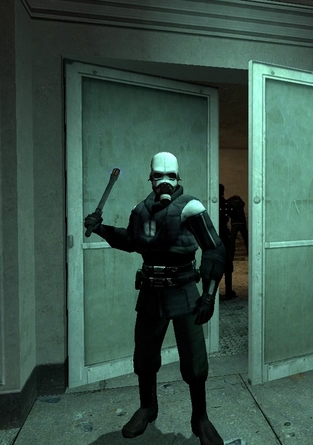
So I started it up, selected new game, played the intro section. It's a fairly well-known section - you arrive at the train station with a message from Breen, a guard makes you pick up a can, and then you have to go into a room and... uh... I got stuck. I wasn't dead, I just couldn't go anywhere. I was stuck in a corridor with a guard, and nowhere to go. Bizarre.
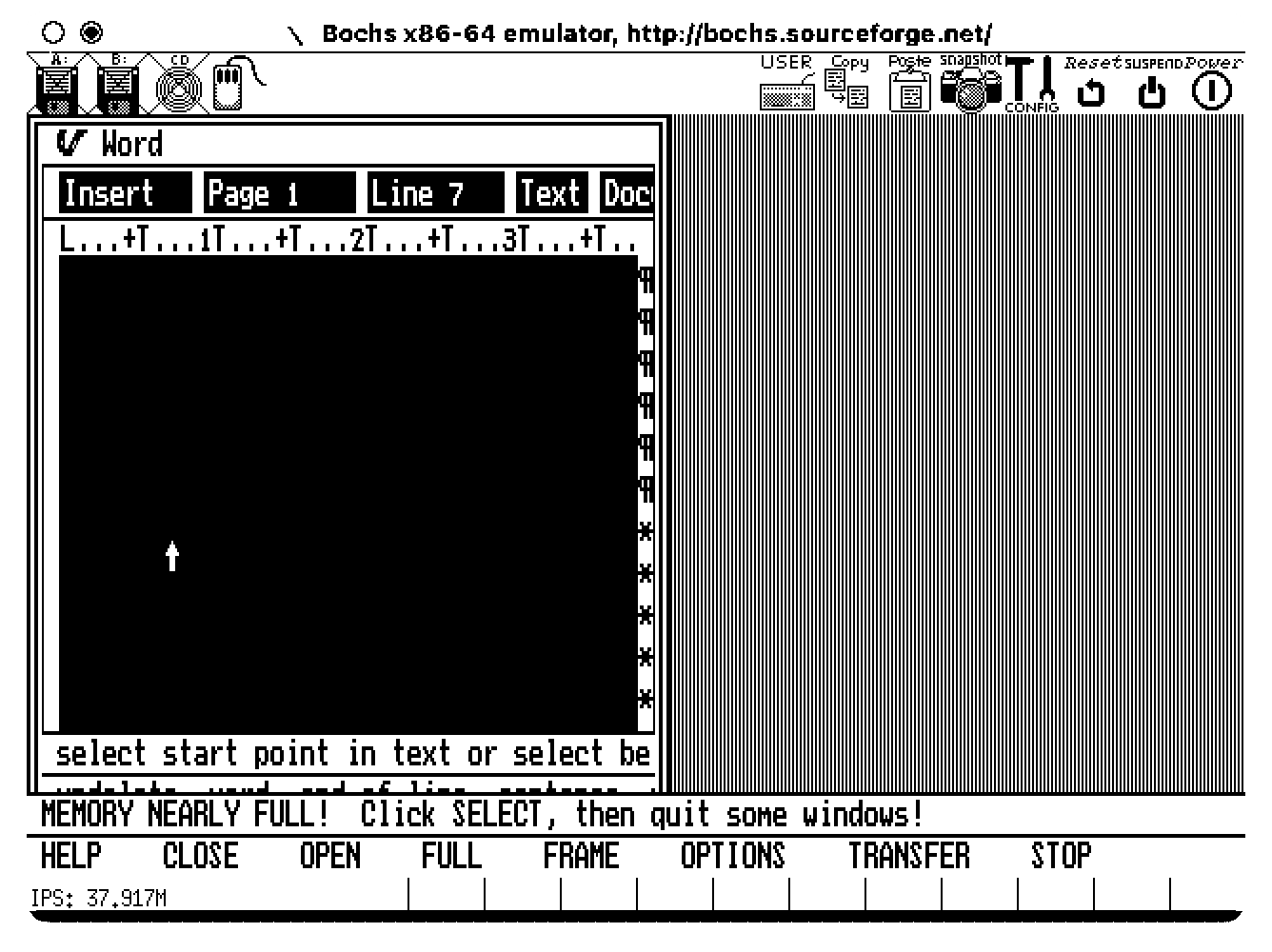
VisiOn loves to beep at the user. It beeps every time a menu option is chosen or an on-screen button is clicked.
If you are tired of the noise, you'd appreciate that Application Manager has an option to replace the sound with a "visual beep". It is implemented as a flashing area of 32x16 pixels around the mouse cursor. Every time the flashing is about to happen, an image "below" the cursor is preserved in RAM to be restored after the "visual beep" is over. However, the memory allocated for this bitmap is never freed. It takes between 200 and 1000 clicks to fill the RAM with useless copies of the mouse cursor, and then the system crashes.
If you have never heard of VisiOn, The Digital Antiquarian has a fun walkthrough that also happens to be the first chapter of an excellent series about the history of graphical user interfaces.
It reinforces my belief that teams need a culture that values attention to detail when building products. Tiny annoyances so often get neglected as we rush to ship, but the consequences accumulate, souring the whole brand. It’s not a long journey from “Ugh, these AirTags…” to “Apple has lost their way…”
But in my experience, those rough edges seldom go unnoticed by someone, somewhere, who was unable to stop the momentum of a product release for such an “insignificant” flaw. Or, even more consequentially, they did not feel it was safe to do so.
I want to quote so much of this essay, so I’m going to do just that.
I’ve always felt that culture is made of the accumulation of small acts of gracious leadership: acknowledging moments of bravery during a retro, teasing out a reticent comment during a product review, and on and on. It can come from other places too, but it is most effective when it comes from the top.
If you’re leading a team remember: Never criminalize pride in craft.
I think the fact that Liquid Glass is worse on MacOS than it is on iOS is not just a factor of iOS being Apple’s most popular, most profitable, most important platform — and thus garnering more of Apple’s internal attention. I think it’s also about the fact that the Mac interface, with multiple windows, bigger displays, and more complexity, demands more nuanced, more expert, interaction design skills. Things like depth, layering, and unambiguous indications of input focus are important aspects of any platform. But they’re more important on the platform which, by design, shoulders more complexity.
A great read – harsh, but deserved. It’s good to punch up. I don’t have a lot of context on Alan Dye, but the parts that resonated the most was appreciation of the craft of interface and interaction design for complex things. iOS has had occasional sprinklings of great interaction design, especially in its physics-based gestures that blossomed since iPhone X. macOS feels abandoned in this regard, with even hard-won victories like fast Finder and great user preferences deteriorating.
But here’s what modern UI design looks like: There’s always a confusing title; it doesn’t quickly tell me what to do or what it wants me to understand; beneath that there’s a subtitle, explaining the title again; beneath that there’s several sentences that restates the title and subtitle but simply jumbles all the words around to make it justify its existence; then the button—there is always a button—and it asks me to “Confirm” or “Apply” but as to what I’m confirming or applying I have absolutely no idea unless I go back to the text and fight my way through it all again.
Kept nodding through this whole essay. I don’t love nervous user interfaces that share their own problems and insecurities with their users. I love confident interfaces that know exactly what to say, and don’t outstay their welcome.