Paste And Match Style is not the answer
Every once in a while, I stumble upon a long thread in a random corner of the internet where someone discovers Paste And Match Style, and everyone erupts in applause. “Yeah, it’s a life saver.” “I use it all the time.”“I can’t believe this isn’t the default!”
Then, inevitably someone chimes in: “Oh yeah? I can show you how to make it the default.” And they explain how to wire ⌘V to use Paste And Match Style.
And I always get worried seeing that.
I believe this is the core problem people are bothered by before discovering PAMS – when you copy and paste from another doc, you inherit its style/visual appearance:
And Paste And Match Style, well, does what it promises:
This feels nice. So, what’s the problem? The problem is that PAMS is drunk with power and flattens everything on its way:
That includes:
- emphasis by italics or bolding
- links
- bulleted and numbered lists
- strike-through text
- headlines
None of these are “style.” This is actual information that should not be removed. If you wire PAMS as your main ⌘V shortcut, or even if you use it occasionally, you might remove valuable data from text you’re moving around, without even noticing.
(And if you do notice, the frustrating irony is that recreating the information lost in transit – for example, re-linking things one by one – is often more work than fixing the style would be.)
If you are designing an app that handles rich text, here’s what I have seen others do:
- Do not have styles to begin with. If you use Notion, Dropbox Paper, Medium, or anything that relies on Markdown, they give you no way to customize fonts, colors, letter spacing, and so on, so regular superliteral Paste has a limited blast radius and works well:
- Have a very strong center of gravity toward the default style. Apple Notes does this well. Use Notes for years, paste into it from all over the world, and you might never realize it allows you to change fonts and colors. Its default Paste removes style, but it doesn’t remove any valuable information like links or bullet points.
- Notes also introduces a shortcutless Paste And Retain Style as a third option after a “semantic” paste (which keeps data and removes style) and PAMS (which removes everything), for those who really want to paste extremely literally:
- Word has Paste And Match Formatting that seems to be what Notes does by default, but it’s not the default:
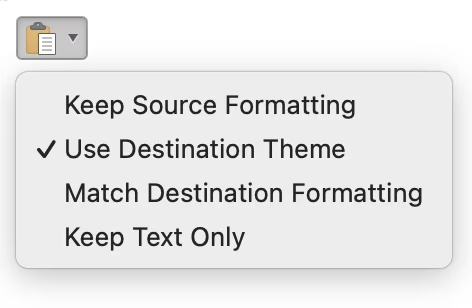
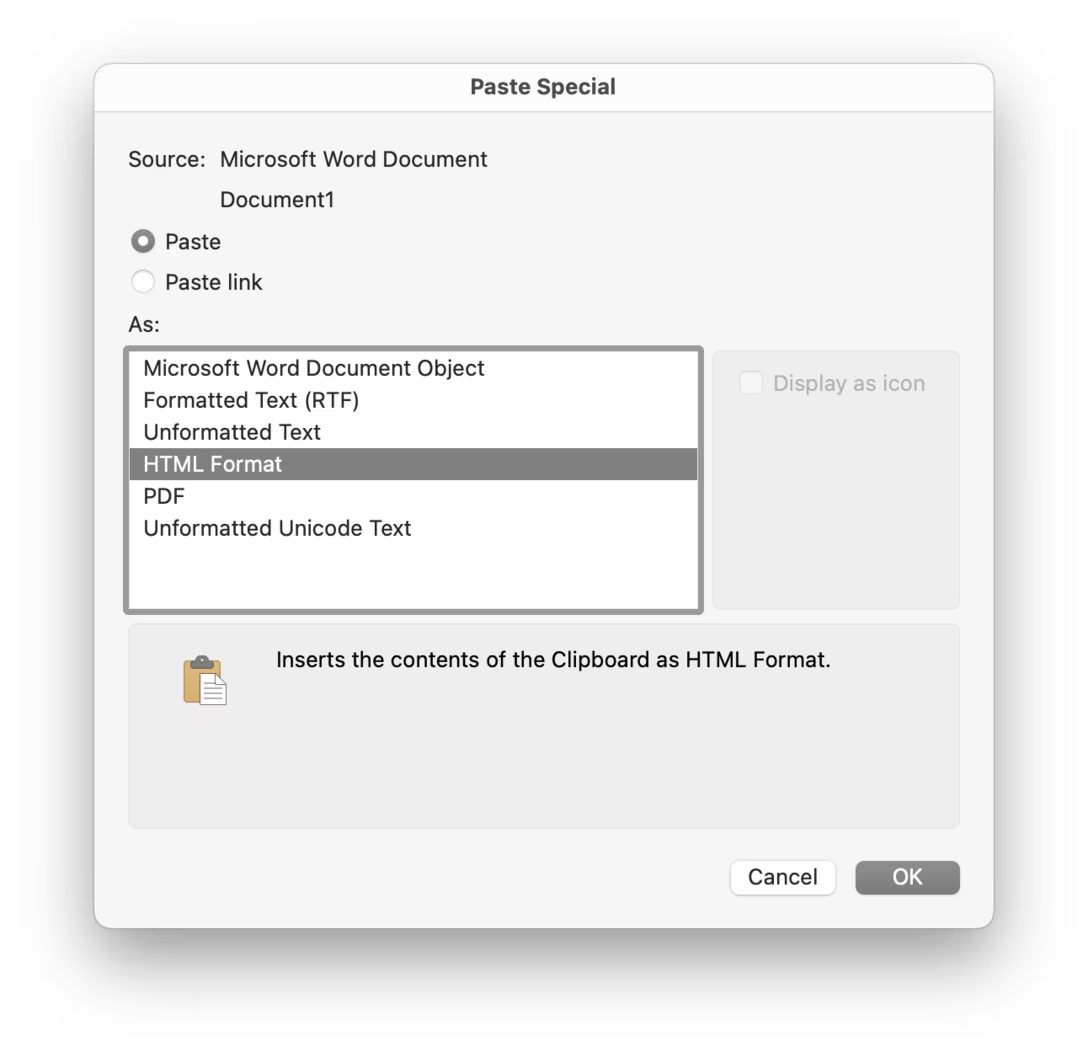
- Help users understand the options they have more. For example, Word offers a little post-paste menu. I don’t personally love (it doesn’t have a preview + it doesn’t remember my preference + the options are scary), but it uses better-than-default language like Keep Text Only, and it protects people from the harrowing backrooms of its own Paste Special:
- Have some contextual rules – for example Figma does things differently depending on whether you paste into a new text box (preserve style), or a text box that’s already filled (match formatting).
(If you’re seeing some other apps doing something interesting, please let me know!)
Doing the right thing won’t be easy. Books have been written about the illusion of the difference between “stylistic” and “semantic.” People use bolding for either. Others treat headlines as visual style, right aligning means something different in English than it does in Arabic, you might still have to normalize indentations, and so on.
But I believe it’s necessary to put in the effort to make regular Paste work as well as humanly possible, rather than relying on people to know about the far-from-perfect ticking time bomb that is PAMS.