“All these will be cherished and emulated as soon as they can be avoided.”
It’s Halloween Week on Unsung, where we’re sharing scary, spooky, and creepy stories. After this and this, the post below feels like a third story in an accidental “angry rectangle” trilogy.
If you used Windows in the 1990s or 2000s, it’s likely you’ve seen this effect, which today we’d call a “glitch”:
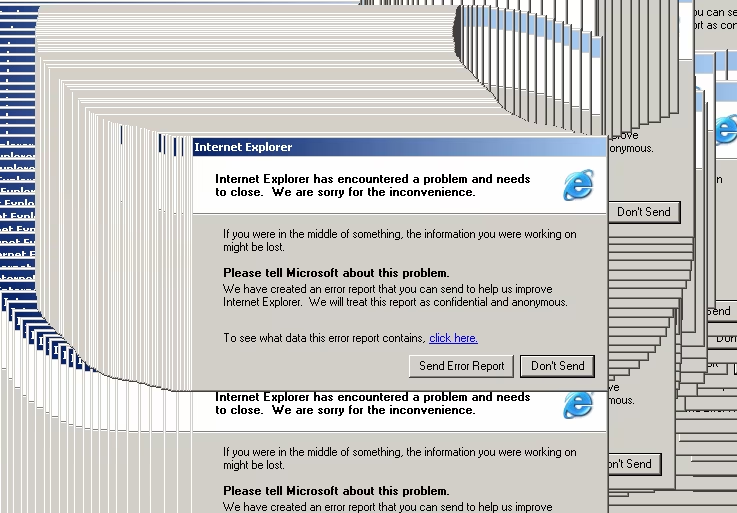
The reason for it had to do with window compositing.
If you look at how things are drawn on screens, at some point you realize that despite all the handwringing about additive vs. subtractive colors, on-screen drawing is not really that far off from an artist working on a painting: in both cases you can’t really remove anything, but you can always add new paint. On screens, at least, the paint is 0% thin and 100% free, so nothing prevents you from forever piling it on, but ultimately it’s the same end result: removing a window from the screen isn’t really deleting its pixels, but painting over it with pixels of the background, or another window, or the memory of what was on screen before the window appeared.
It’s the job of compositors to abstract that uncomfortable truth from you, but Windows 9x and XP compositors weren’t nearly as advanced as modern ones. If the underlying app crashed (which explains how most common examples of the above are of the “this application is not responding” variety), the system would end up skipping the erasing-by-drawing step, and compositing directly on top of the previous drawing. It wasn’t a problem if the window was stationary. If you move it, though? Window ghost trails.
Compositors have improved since those years, yet you can still occasionally see this very problem rearing its fascinating-looking head. But it is more likely you will see its more modern equivalent, having to do with video compression.
Common video compression doesn’t treat all the frames equally. Instead, to save on space and bandwidth, it encodes occasional frames as “I frames” – those are complete sets of pixels from top left to bottom right – and all the other frames a “P frames” – containing, instead, the movement of the pixels drawn previously. Movement is cheaper to encode, in part because on many frames or parts of frames in any video, there is no movement at all.
I frames are perfectly deterministic, but P frames are more like dead reckoning, as they rely on the previous I frame and all the preceding P frames being there for a perfect result.
In ideal conditions, you will never notice different types of frames and the video will feel as smooth and fluid as real life. But if some P frames happen to be skipped or – especially – if an I frame is skipped, you will see a strange but recognizable visual effect, as the movement of one group of pixels is applied to the wrong group of pixels, and then everything snaps back to reality as the next I frame arrives:
As we’ve seen with other things earlier this week, this category of glitches have been co-opted by digital artists, who named this effect datamoshing, used it creatively in places like music videos – here’s a video for a band Charlift…

…and started repurposing it in other places, too. This video by Jam2go has a nice visual summary of everything I wrote above, and then follows that by trying to recreate the effect in a videogame engine, and then even in more “analogue” settings:
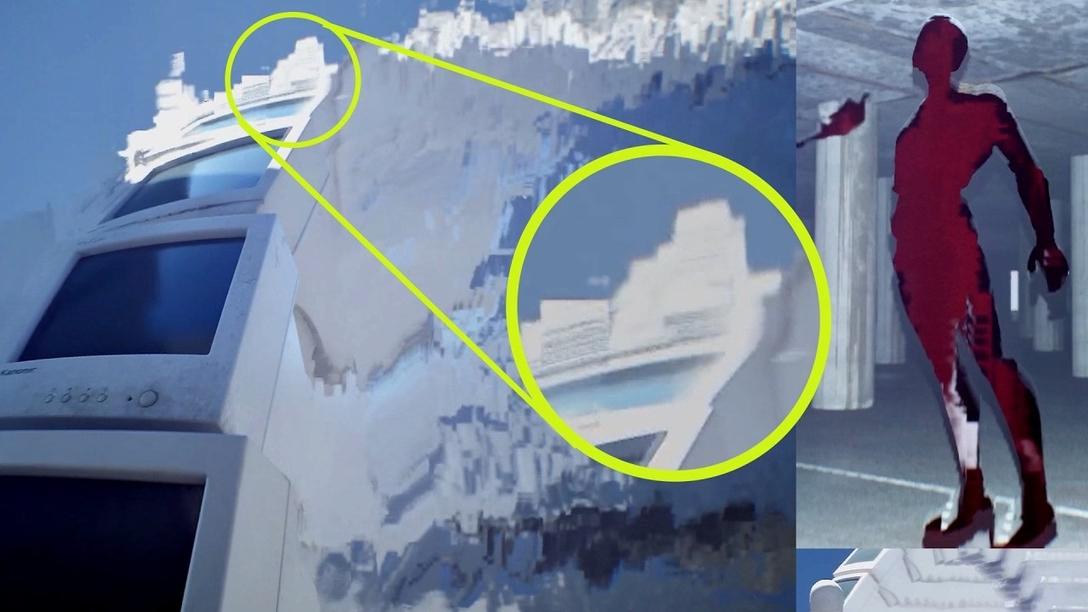
He also quotes Brian Eno, who in 1995 wrote:
Whatever you now find weird, ugly, uncomfortable and nasty about a new medium will surely become its signature. CD distortion, the jitterness of digital video, the crap sound of 8-bit – all these will be cherished and emulated as soon as they can be avoided.
The Windows background glitch has been remade many times in recent years, too, for example by Jez Corden in 2023. Corden wrote about it, and his recreation is so fun to play around with today, freed from the terror of seeing your app crash and your work potentially lost.
But the glitch was used creatively even when it was still around – and I bet you will recognize this, as it’s one of the most well-known visuals of the Windows 3.x era:
Yes, this is the famous Windows Solitaire, written by Wes Cherry, who combined not clearing the background with some simple physics for an iconic effect. From one of the fans:
I used to watch the whole thing just waiting for the perfect bounce: leftbound from the rightmost stack, with solid black edge. ¶ It’d practically just be gliding along the floor by the time it reached the edge of the screen. Beautiful.
I like these categories of work, the “creatively embracing a glitch” projects, the “intentionally recreating bugs in environments that no longer have them, for aesthetic or artistic reasons” ideas, and the “remixing a glitch in a medium where it doesn’t even make sense” efforts.
Because of course the Solitaire effect has been remade as well – by Mr Doob in 2012, and I imagine by countless others – and it went even further than that: