“I didn’t know about this shortcut until recently.”
On his fascinating and long-running Windows dev blog The Old New Thing, Raymond Chen writes about the story of scrollbar right-click menus:
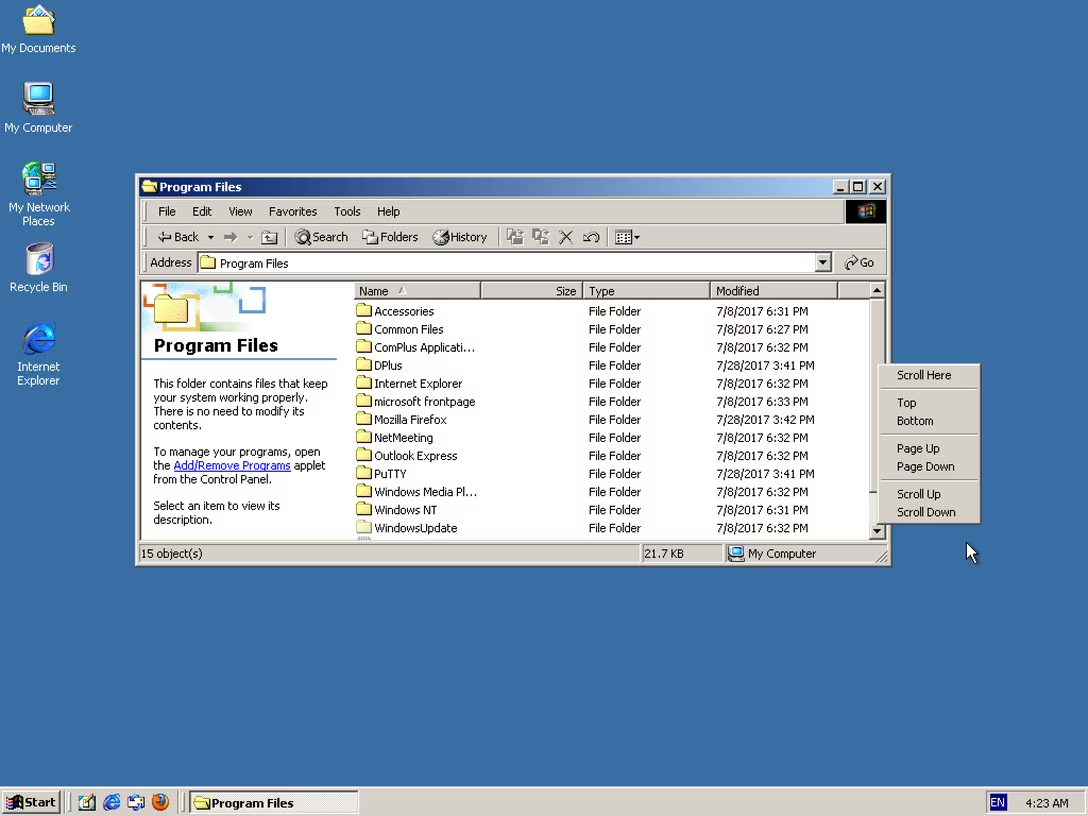
Windows 2000 added a right-click menu to the scroll bar. This menu gave you four options that matched existing mouse operations, two operations that matched existing keyboard operations, and a new operation.
The interesting new one is “Scroll Here”: You can right-click directly on the spot you want to scroll to, and then pick “Scroll Here”. This is much more convenient if you want to scroll a long distance, since you don’t have to grab the scroll bar thumb and then drag it all the way to where you want to go. You can just focus on where you want to go and not where you are coming from.
I used this context menu a lot when I needed to jump long distances. […] An even-more-hidden shortcut was added at the same time: Holding Shift while clicking on the scroll bar jumps the thumb directly to the spot where you clicked. ¶ I didn’t know about this shortcut until recently.
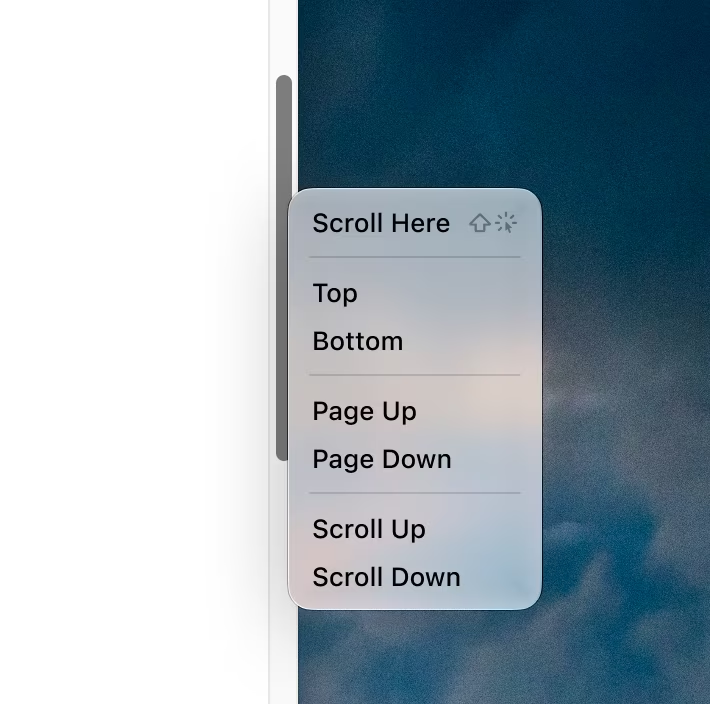
The menu looked like this, for what it’s worth:
(The equivalent function also exists on a Mac, except there it’s hiding under ⌥, and not ⇧.)
Chen covers a few interesting things in his post, including the challenge of new frameworks losing hard-won UI affordances of their predecessors. But what caught my attention was something else I’ve thought about occasionally: why are menus so averse to mousing shortcuts?
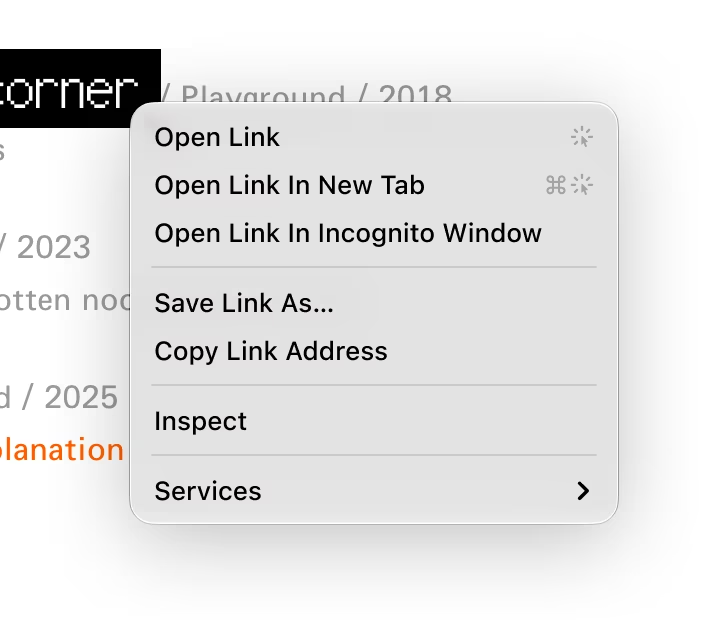
For example, you can imagine a browser link menu showing a few simple click gestures:
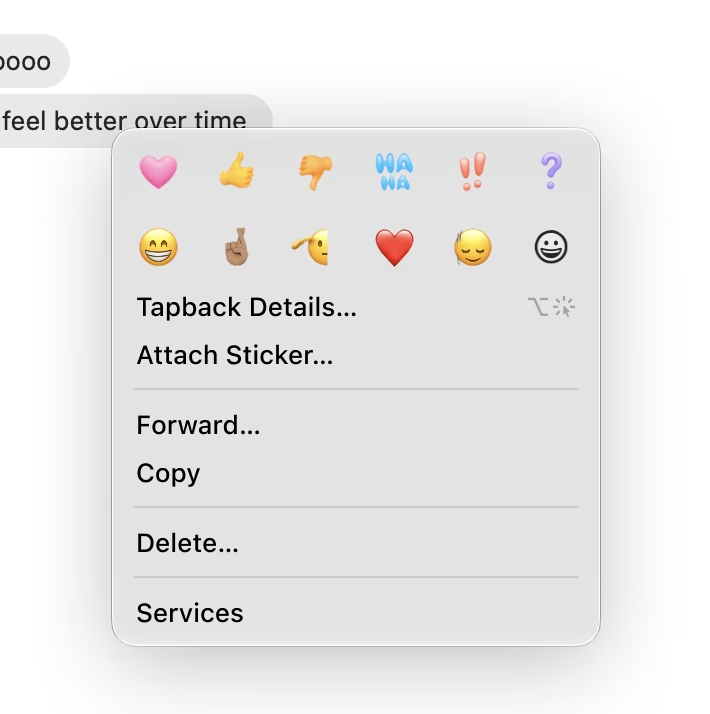
Or, this tapback details shortcut in the right click menu in Messages:
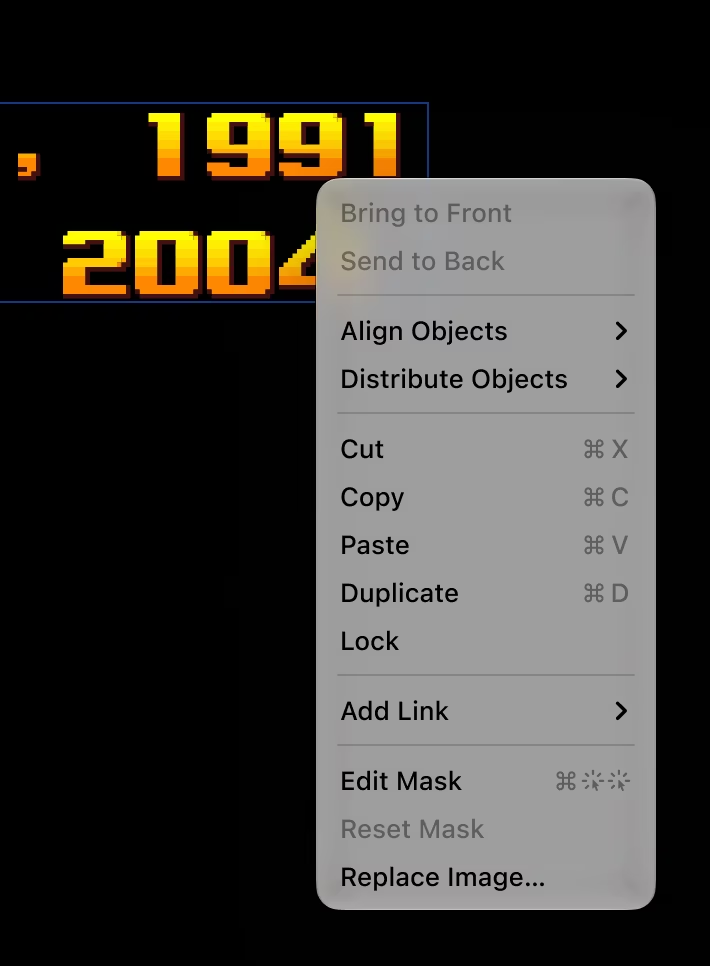
Or this for masking in Keynote when you right click an object:
You could even imagine announcing simple gestures, like ⌥+dragging to duplicate, or ⌘+dragging for a quick modeless move:
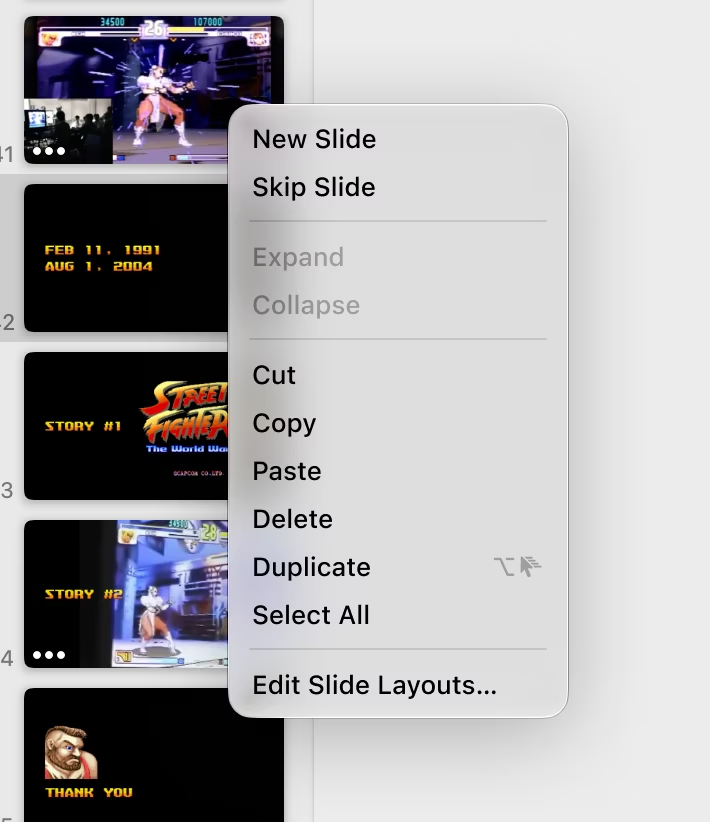
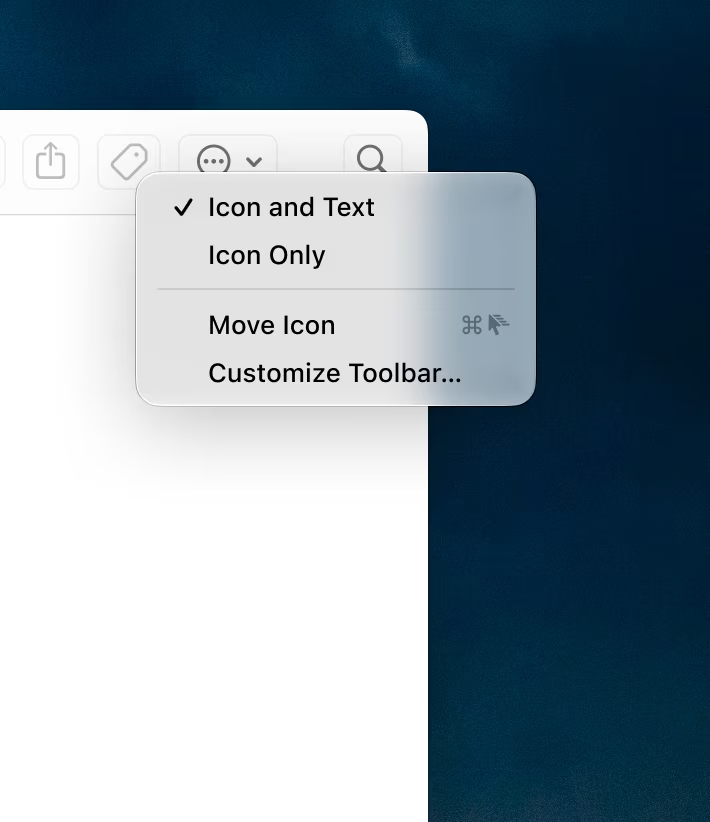
Item menus would also work, not just right click menus:
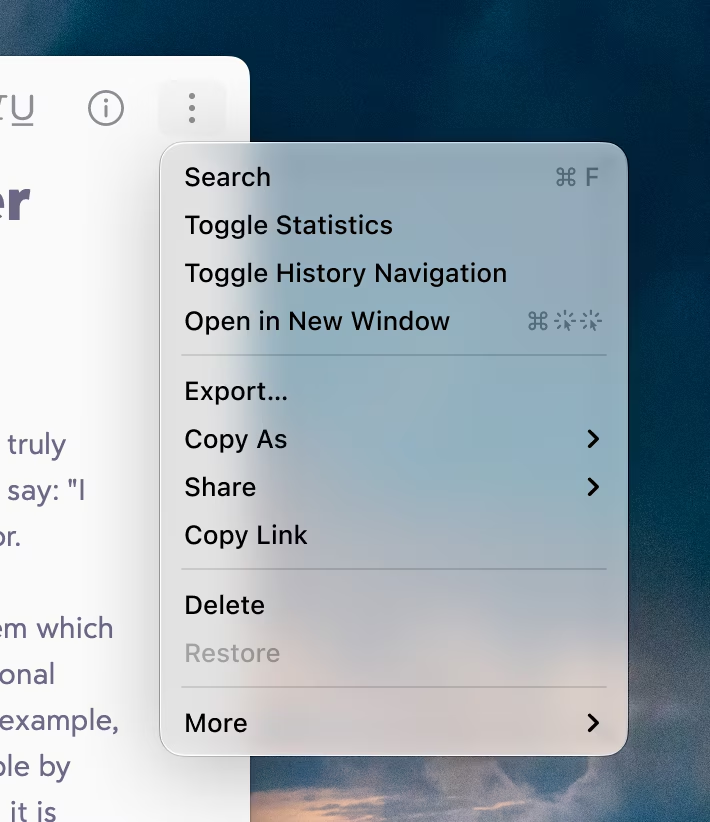
And you could even imagine integration with the hold-a-modifier-key interaction:
I am curious why we’ve never gone in that. I haven’t seen anything like this, and I can imagine some counterarguments:
- “The symbols might be confusing.” I am not sure. Here, I used a few temporary SF Symbols that have some challenges (the double click in particular feels clunky), but I could imagine a talented icon designer taking it all for a spin, and arriving at a clean and elegant visual vocabulary.
- “It’s too specific. It will only work for right click/context menus.” Yeah, I see this challenge. The mouse gestures and shortcuts require the mouse cursor to be at a specific position – the noun to the menu item’s verb – which only context menus provide. When you look at one of the menu commands I invented – Move Icon – there is a lingering question: what would that command do if I selected it? But on the other hand, I also see this visual gestural vocabulary growing to be useful in other places: hint text, tooltips, documentation.
- “Power users don’t need onboarding.”
This last one I feel passionate about, and this is where we can go back to where we started. If Chen, having written about Windows in detail for decades, didn’t know about this keyboard shortcut, what chance do we have?
I believe onboarding should be universal and ongoing. There is always a new thing to learn somewhere regardless of one’s proficiency; you don’t ascend some sort of a Mountain Of Poweruserness, get a certificate, and proclaim your learning complete. Plus, proficiency is usually localized: no one is fully an expert in every aspect of even one app, let alone all of them. If Chen were to see something like this back in the day, it could have helped him – and I imagine others, too:
I’m curious if you have seen any app attempting anything like it. If you did, please reach out.