Playdate’s update interface takes charge
Here’s what happens when you try to update your Android phone if it’s low on battery (even if it’s connected to a charger):
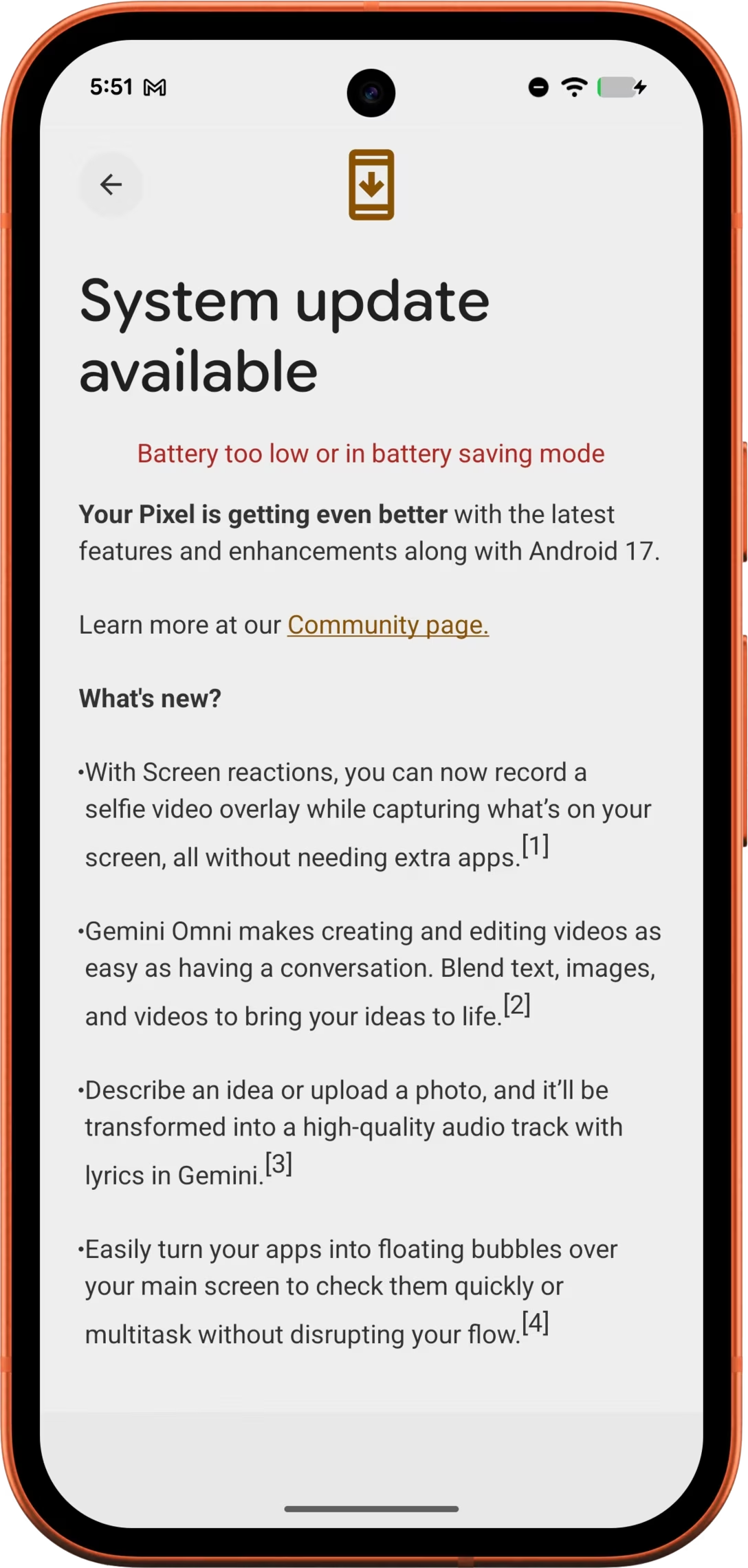
It’s a pretty cheap error UI, a misaligned string thrown carelessly in between existing interface pieces. It doesn’t even bother explaining what “too low” means.
Compare this to what the Playdate does in the same situation:
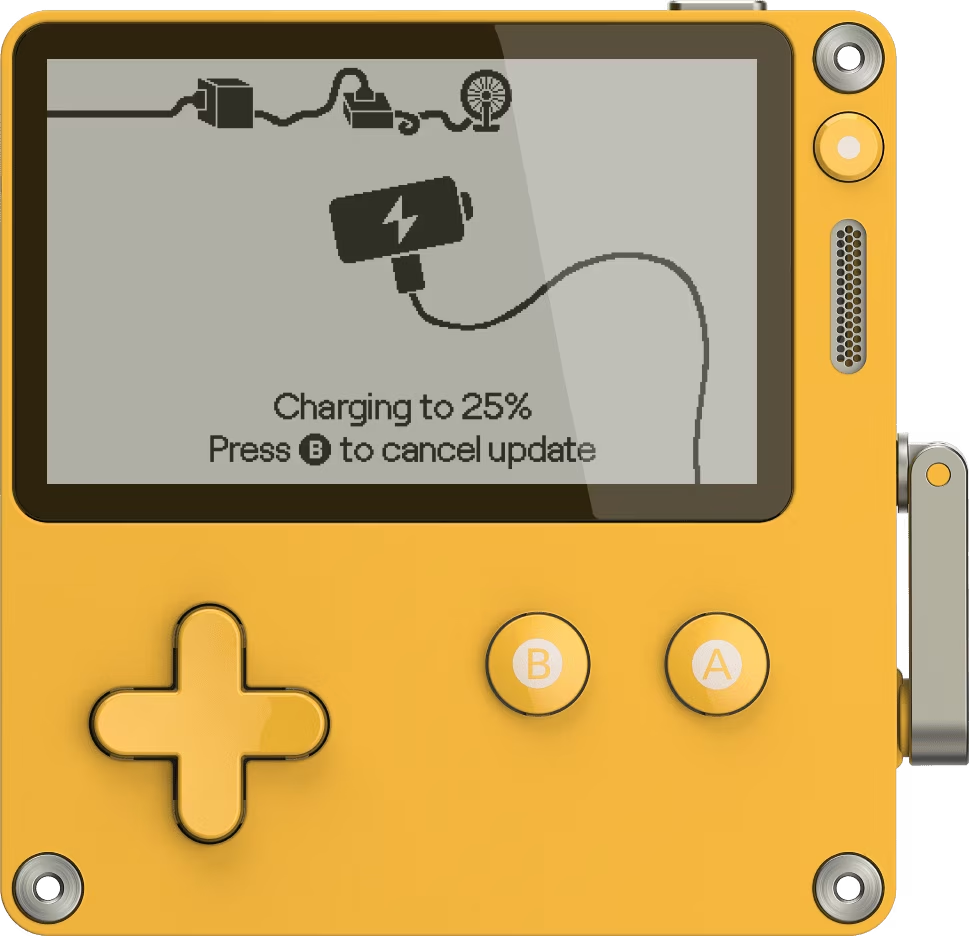
If the device battery is depleted, the software simply charges if first to the necessary minimum (spelled out on screen), before automatically proceeding to the actual update – all without any user intervention.
We previously talked about fire-and-forget states, or interfaces which give you confidence that once the process starts, it will finish on its own. (If you don’t like military references, we could call these tap-and-walk-away.)
This is a really good example. There is even a nice corresponding version for when your Playdate needs to be plugged in first:
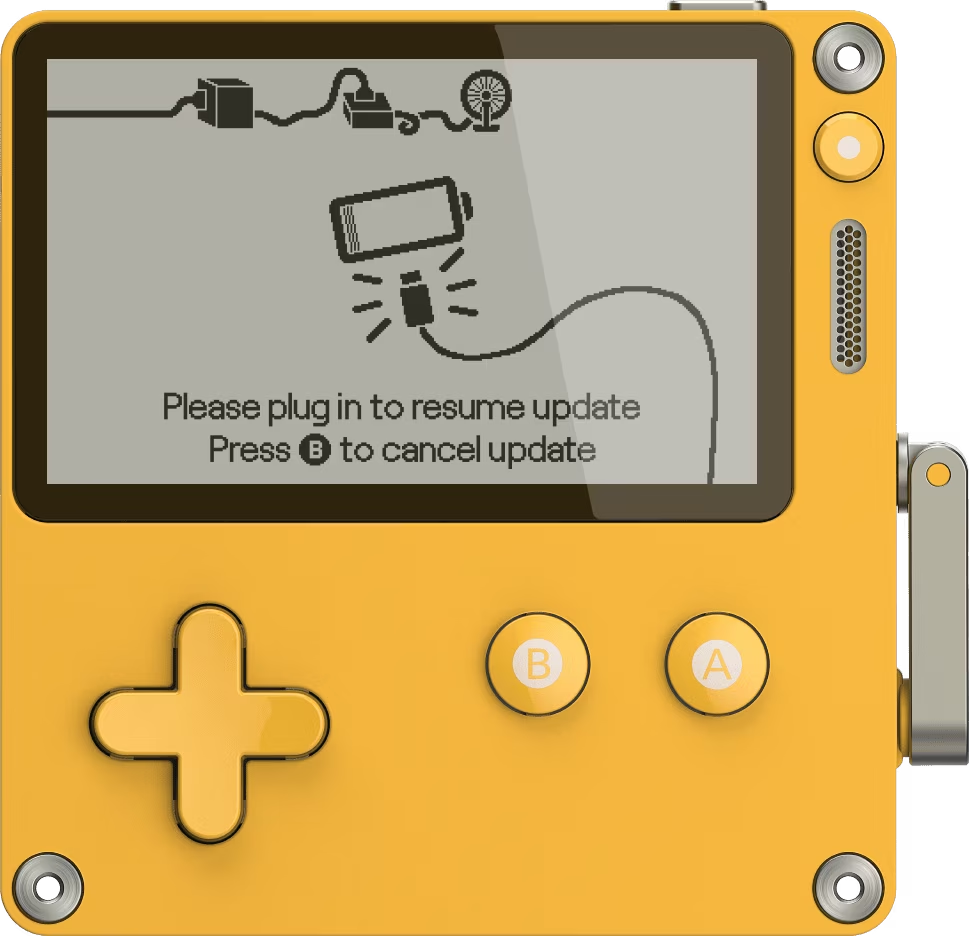
Once you do, the process again continues by itself right until the end.